
Preparing presentation files for business meetings or school might come out difficult especially when almost every time you read and practice your speech, looking at your PDF file, you find mistakes or you notice that you forgot to include a sentence or an image.
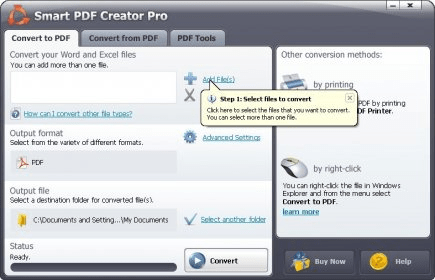
By browsing the Internet, you will find plenty of applications that help you with this matter. One example is Smart PDF Creator Pro, a program that not only lets you convert PDF files to Word format and edit the documents, but also gives you access to various PDF tools, such as merger, encrypter, splitter and many more.
What I consider a disadvantage is the fact that the program doesn't bring you a PDF reader and you will need to download and install additional applications (Adobe Reader for example) in order to check the final document.
As for the rest, Smart PDF Creator Pro works just fine, the conversion process completes in no time and the integrated utilities are easy to manage. Furthermore, you have the ability to password-protect your PDF files to block other users from accessing valuable information.
Despite the fact that, by using this application, you get to choose from a wide variety of tools to help you edit your presentation files, I think the price is a bit too high considering Smart PDF Creator Pro's purpose: to manage PDF files.




Comments